















About the tool
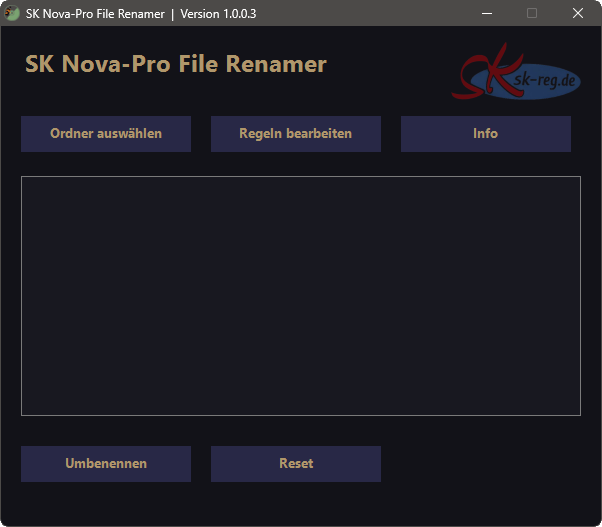
The SK Nova-Pro File Renamer is a Windows tool based on PowerShell and Windows Forms, which can be used to automatically rename files according to fixed rules. It is particularly well-suited to standardising files for web or project structures.
Key features
- Drag & Drop: Drag files or folders directly into the window to analyse them.
- Select folder: Use a dialogue box to select a folder whose files are to be renamed.
-
Rule-based renaming:
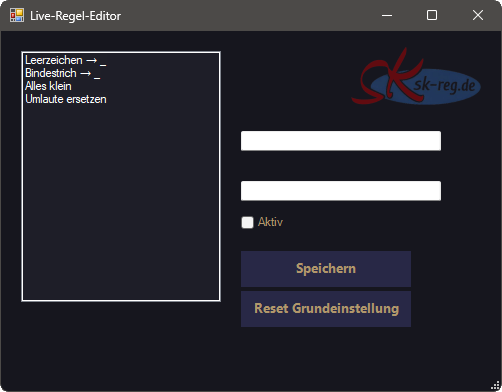
File names are modified according to configurable rules, e.g.:
-
Spaces are converted to underscores (
Leerzeichen → _). -
Hyphens are converted to underscores (
- → _). - All letters are converted to lower case.
- Umlauts can be converted to ‘ae’, ‘oe’ and ‘ue’, and ‘ß’ to ‘ss’.
-
Spaces are converted to underscores (
- Live rule editor: Rules can be edited, enabled or disabled directly in the editor window.
- Reset to default settings: In the rule editor, all rules can be reset to their default values.
-
Preview:
A list is displayed before renaming:
Old filename → New filename. - Rename: Clicking the Rename button applies the changes to all displayed files.
- Reset in the main window: Clears the preview and the current renaming schedule.
-
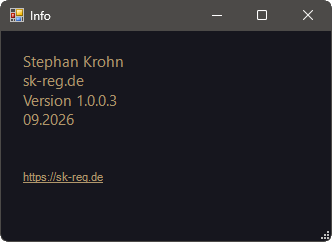
Info button:
Opens an info window with details on:
Stephan Krohn, sk-reg.de, Version 1.0.0.3, as at October 2026.
How it works
When dragging files or folders into the window or selecting a folder, all contained files are read in. For each file, the new name is calculated based on the active rules. This mapping (full path + new name) is stored internally and displayed in the preview as ‘Old name → New name’.
When you click on
‘Rename’
all saved paths are renamed one after the other with their new
names.
Rename-Item
. The list is then cleared,
so that it is clear that all changes have been applied.
Purpose of the tool
The aim of SK Nova-Pro File Renamer is to standardise file names quickly, consistently and transparently without manual renaming and with a clear preview before changes are actually applied.
Download under Modules: